

Prerequisites
Before you begin, you’ll need:A Payfonte sandbox account
Your API credentials (client-id and client-secret)
A tool to make HTTP requests (cURL, Postman, or your preferred language)
Step 1: Create Your Sandbox Account
Sign Up
Go to sandbox-app.payfonte.com and create a free account.
Step 2: Get Your API Credentials
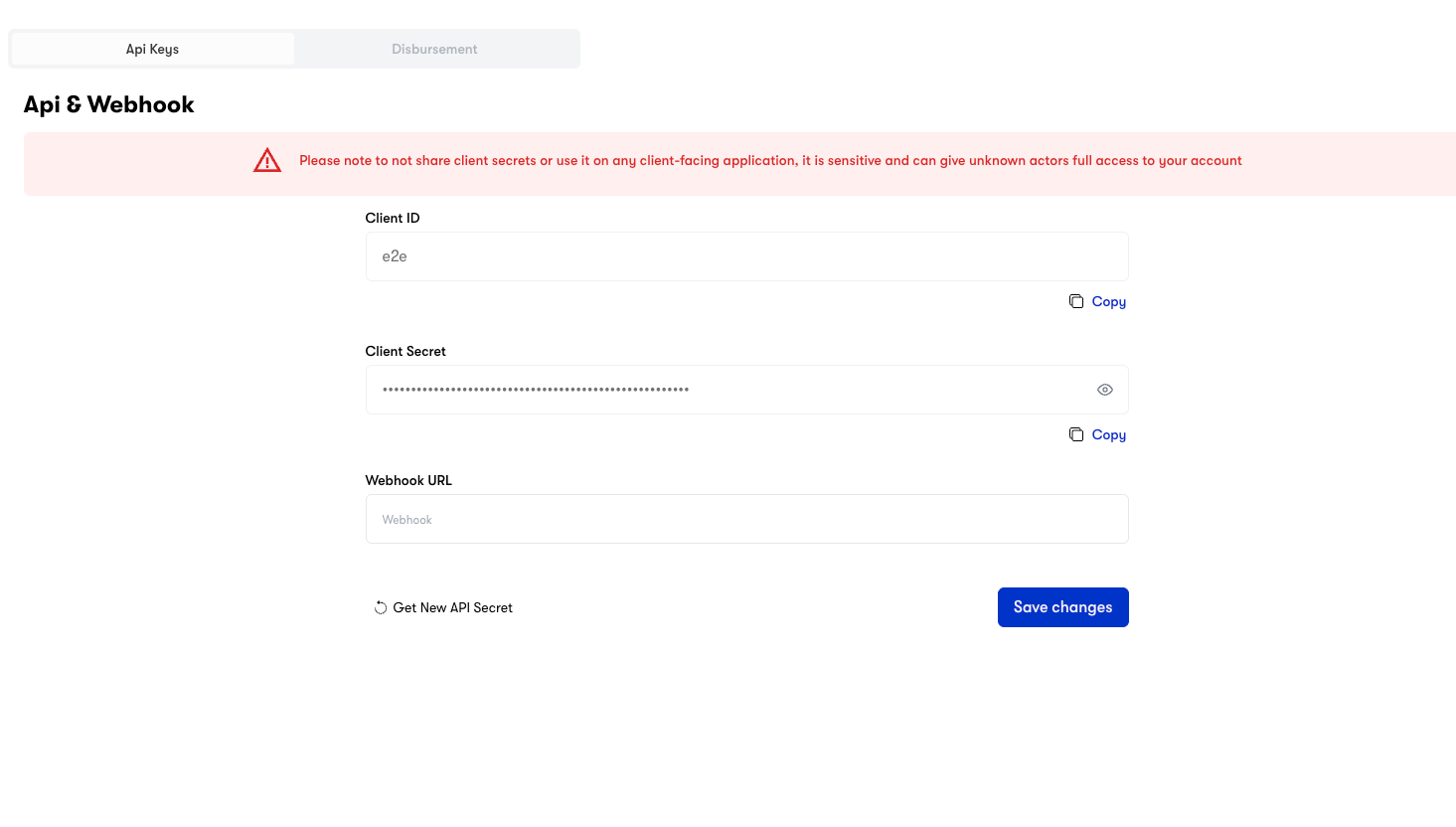
Never expose your
client-secret in client-side code or public repositories. Always make API calls from your backend server.Step 3: Set Up Webhook Callback (Optional but Recommended)
Webhooks notify your server about transaction status changes in real-time.Enter Your Callback URL
Add your webhook endpoint URL (e.g.,
https://yoursite.com/payfonte/webhook).Environment URLs
- Sandbox (Testing)
- Production (Live)
Use these URLs for development and testing:
| Service | URL |
|---|---|
| API Base URL | https://sandbox-api.payfonte.com |
| Dashboard | https://sandbox-app.payfonte.com |
| Checkout Page | https://sandbox-checkout.payfonte.com |
Sandbox transactions are simulated and do not involve real money.
Step 4: Make Your First API Call
Let’s create a checkout session to collect a payment:Expected Response
Step 5: Redirect Customer to Checkout
Take thecheckoutUrl from the response and redirect your customer to complete payment:
- See available payment methods for their country
- Select their preferred method (e.g., MTN MoMo, Bank Transfer)
- Complete the payment
- Be redirected to your
redirectURL
Step 6: Handle the Webhook
When the payment status changes, we’ll send a POST request to your webhook URL:What’s Next?
Explore Collection Methods
Learn about inline, standard, and direct charge integrations
Set Up Disbursements
Send disbursements to mobile money and bank accounts
View All Providers
See available payment methods by country
API Reference
Complete API documentation
Troubleshooting
401 Unauthorized Error
401 Unauthorized Error
Invalid Country/Currency Combination
Invalid Country/Currency Combination
Make sure the currency matches the country. For example, Nigeria uses NGN, Kenya uses KES. See Supported Providers for valid combinations.
Webhook Not Receiving Events
Webhook Not Receiving Events
Ensure your webhook URL is publicly accessible and returns a 200 status code. Check your server logs for incoming requests.
Still need help?
Contact our support team at support@payfonte.com